⚡ FC 26 Web App Tool
Everything Justaino FC Hub can do
A floating panel for the EA FC 26 Web App that turns evolving your club into a couple of clicks - pick a player, tick the PlayStyles you want, and apply them all at once. It also ranks your club by position, manages your evolutions, and builds full Gauntlet squads on a pitch. Built for Men Gallant FC.
🔒
It runs entirely inside your own logged-in Web App session - it drives the
game's own buttons and services. No passwords, no servers, nothing faked.
It's a personal tool, not a hack.
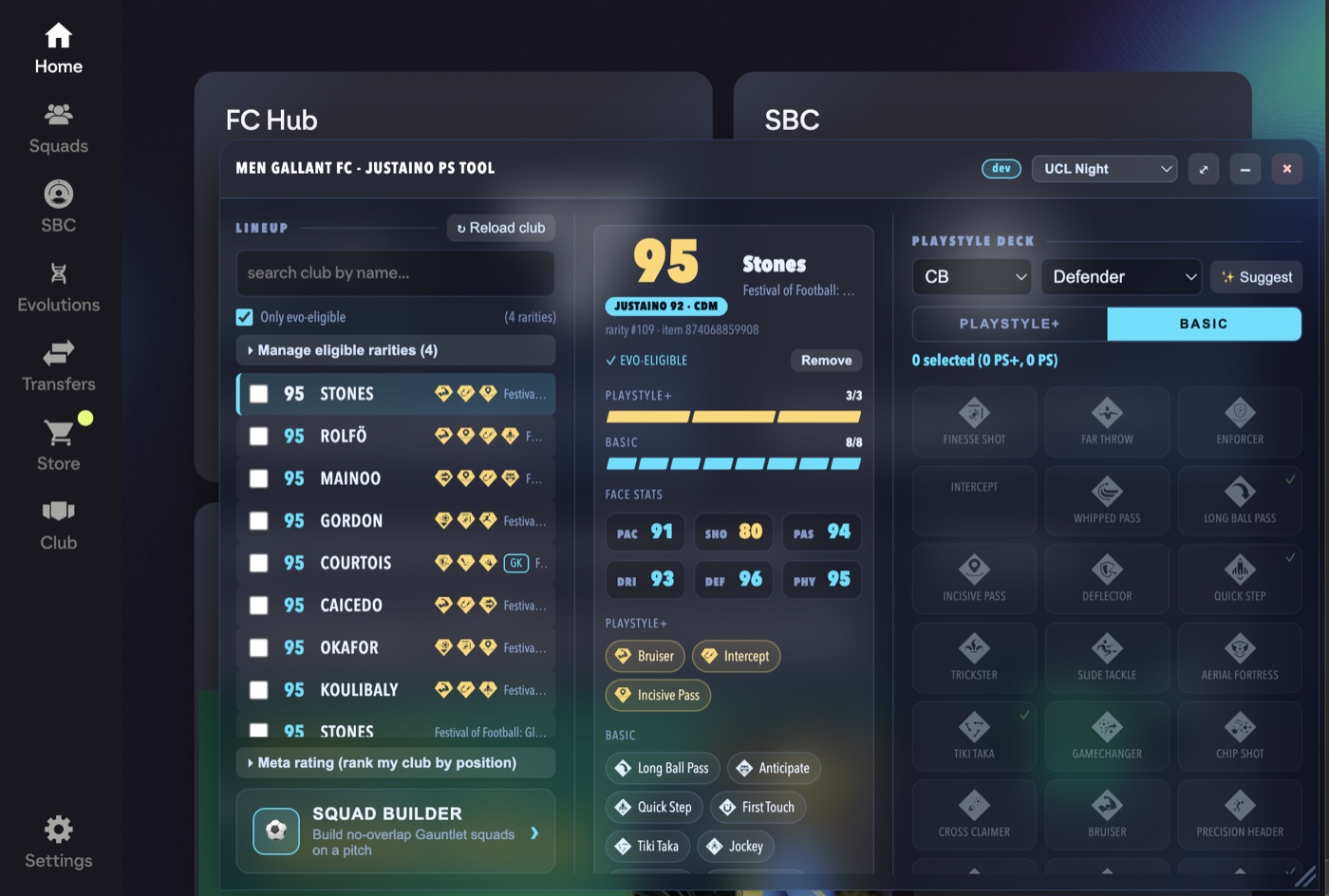
The whole thing, one panel
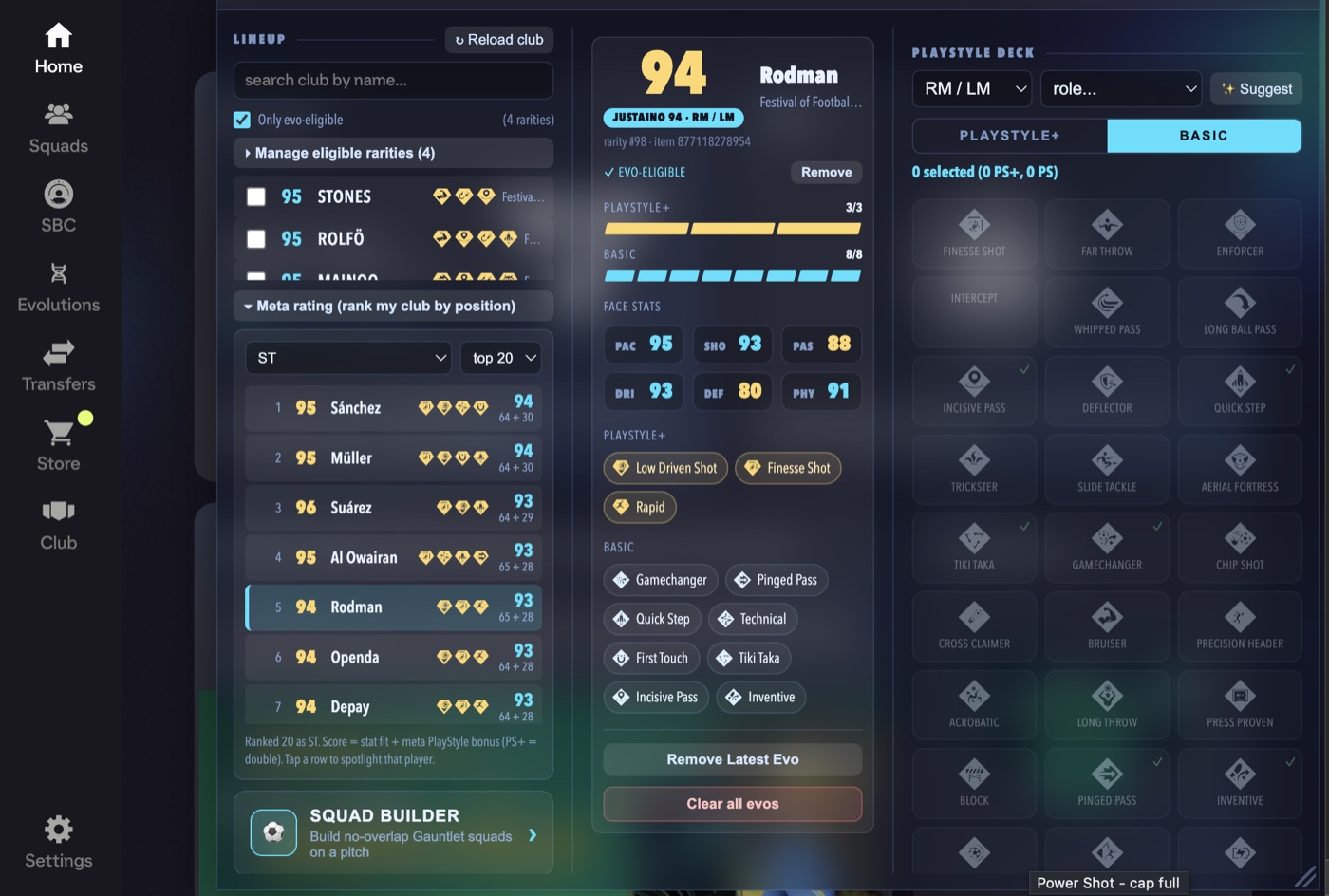
Your entire club, at a glance
- Loads every player in your club - not just your active squad - with instant search by name and a one-tap reload.
- A preview card for the picked player shows rating, rarity and positions, plus capacity “pips” for your 4 PlayStyle+ / 8 basic slots and the styles it already has as icon chips.
- Only evo-eligible - a single toggle hides cards that can't take evos, and it learns which rarities work as you go.
- With room left - narrows that further to cards that can still take something, so anything already full drops out of the list. Fill a card's last slot and it leaves on its own.
- Detailed stats - open one tap under the face stats to see all 29 underlying attributes, grouped the way the game groups them, with the card's key attributes starred. Evolved cards show their real current numbers, not the pre-evo ones.
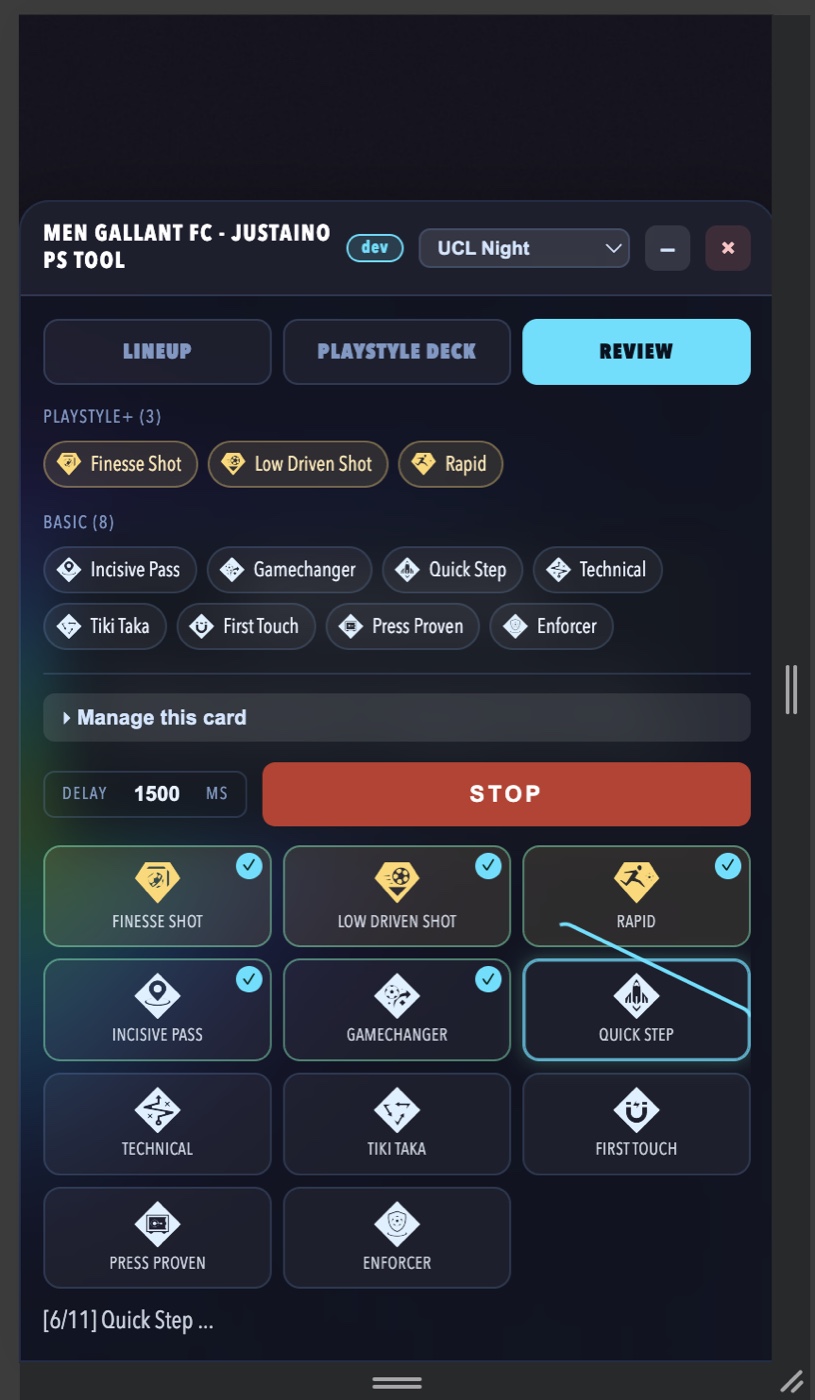
Pick smart, apply in one go
Smart Suggest & one-click apply
- ✨ Suggest works out which PlayStyles actually raise this card's score for the position and role you pick - and it prices each one by building the card you'd have and seeing what the number does. It puts the best in the PlayStyle+ slots, upgrades a good PlayStyle the card already has when that's worth more than adding a new one, and stops as soon as nothing left would help rather than filling slots for the sake of it. How it picks →
- It follows your weighting - if you've re-weighted a position in Peks Lab, Suggest re-weights with you instead of using my rankings.
- Apply them all at once - each tile spins then ticks as it lands, with a live “6/11” counter and a summary at the end.
- You stay in control - set a delay between applies, and hit Stop at any time. Owned styles and caps are respected automatically.
- No page reload - the card refreshes itself the moment a style lands.
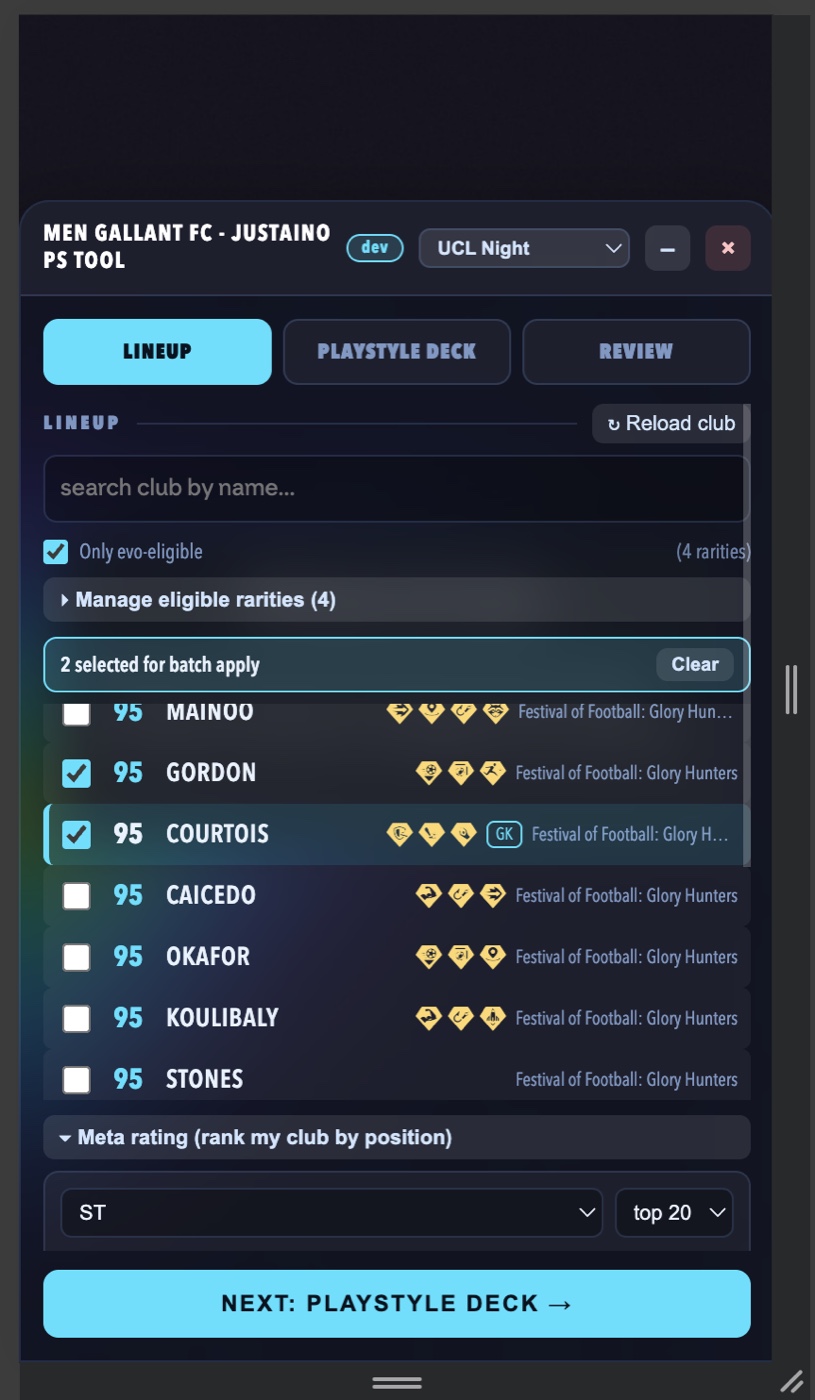
Do the whole squad
Apply to many players at once
- Tick several players and apply the same set of PlayStyles to all of them in a single run.
- A clear roll-call shows exactly who's included before you commit.
- Each player is checked on its own - anything already owned, full, or not allowed on that card is reported as skipped, not a failure, in a tidy per-player breakdown.
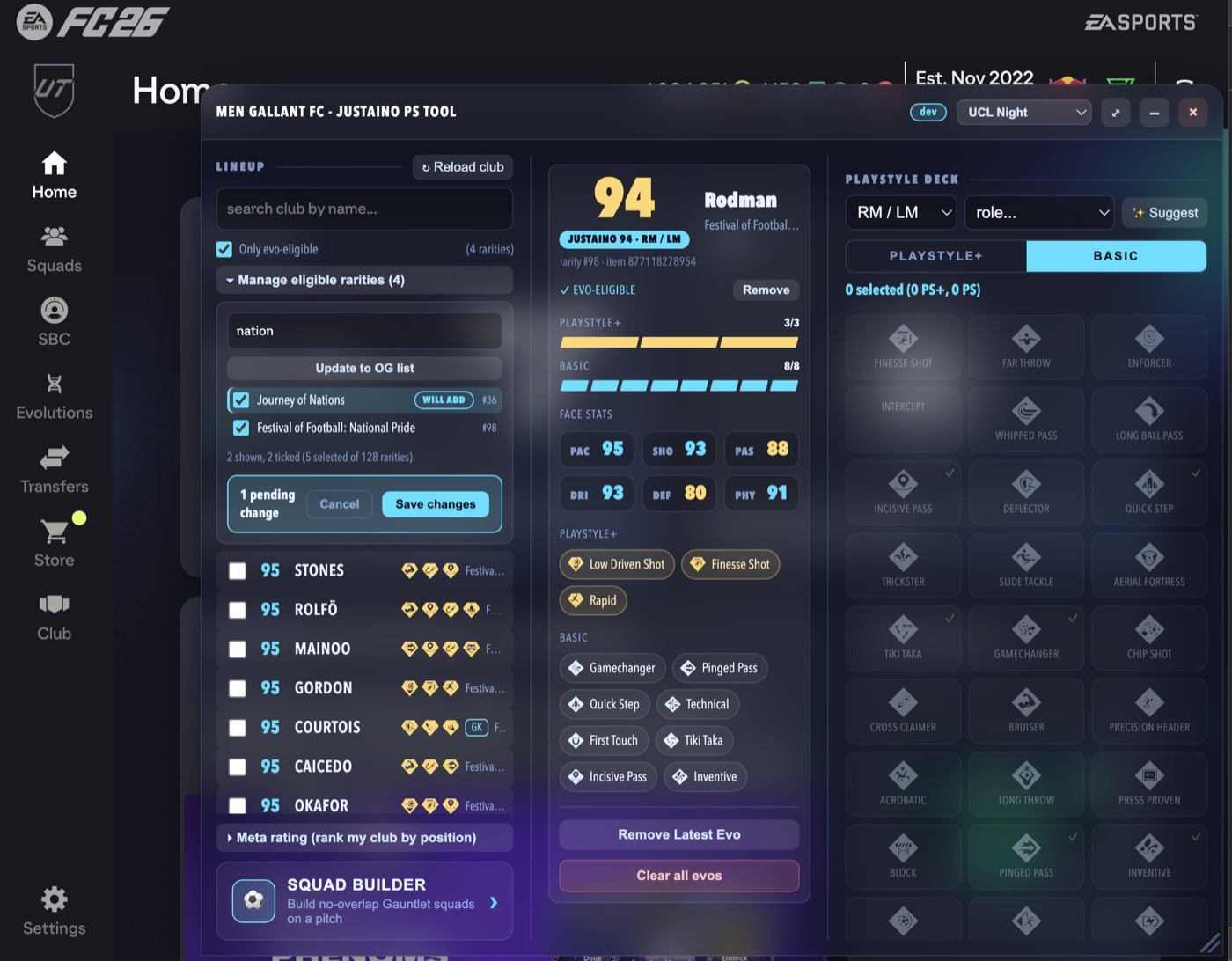
Change your mind? No problem
Manage, undo & fine-tune eligibility
- Remove Latest Evo peels off the most recent upgrade, Clear all evos rolls a card all the way back - both ask you to confirm first and show live progress.
- Manage eligible rarities - search, tick and save exactly which card types the “Only evo-eligible” filter trusts, then “Update to OG list” to lock in your set.
- A friendly summary after every run: “Added 11 to Lukić”, with the full list of what went on.
My own player rating
The Justaino Score
- A 0-100 score per position worked out from each player's real stats and PlayStyles - shown as a pill on the preview card and as a rankable list.
- Rank your whole club for a position - pick ST, CB, GK and so on, and see your best options in order, with the stat / PlayStyle split behind each score.
- PlayStyles matter, a lot - 30% of the score is locked behind meta PlayStyles (PlayStyle+ counts double), so a lower-rated card with the right styles can outrank a shinier one.
- Nothing hidden - see the exact weights for every position →
- Don't agree with my numbers? - re-weight the whole score yourself, right down to which PlayStyles matter at which position. Read the guide →
New: build for the Gauntlet
Squad Builder on a pitch
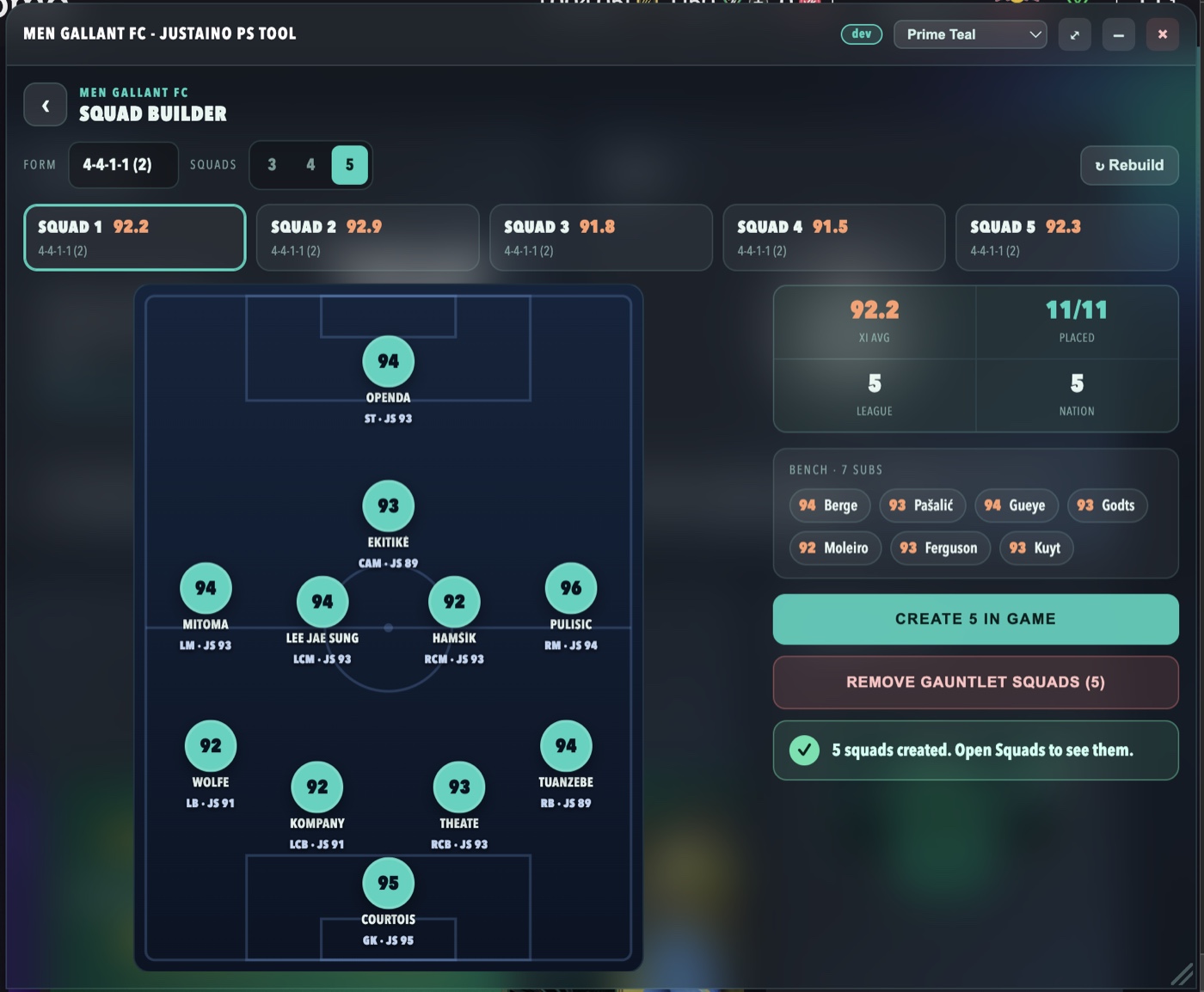
- No-overlap Gauntlet squads - ask for 3, 4 or 5 squads and it splits your club so no player is used twice, then lays each one out on a full pitch.
- Pick any formation - choose from the game's own formation list, and it places every player in the right slot with their best rating on show.
- Create them in the game - one “Create in game” button builds the lot for real (loan and timed players left out), and “Remove Gauntlet squads” cleans them up again.
Wherever you play
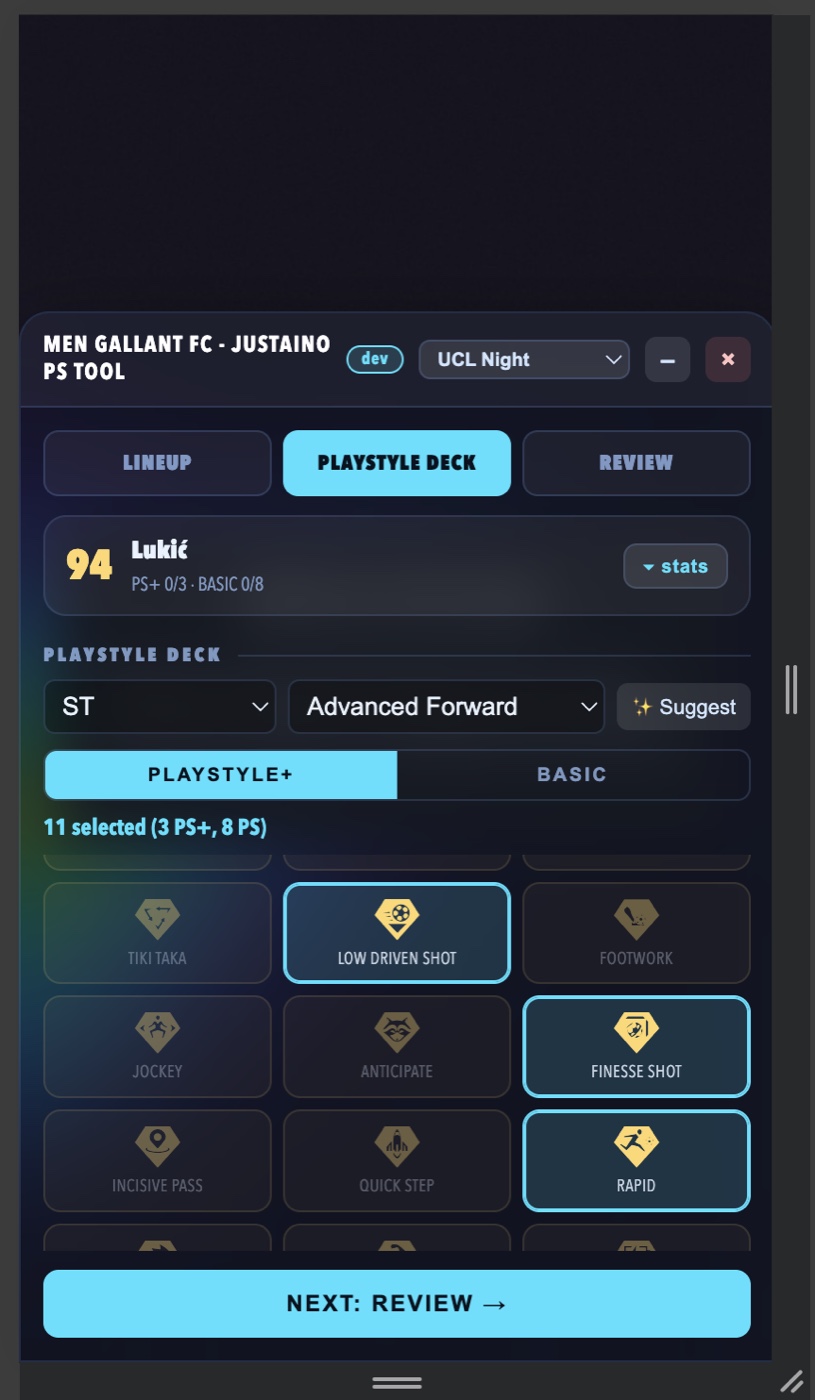
Made for desktop and phone
- On a computer it's a three-pane console you can drag around and resize to taste.
- On a phone it becomes a simple step-by-step wizard - Lineup → PlayStyle Deck → Review - so it's easy to use one-handed.
- A frosted-glass look that sits neatly over the Web App, on either screen.
Never blocks your view
Tuck it away, in your colours
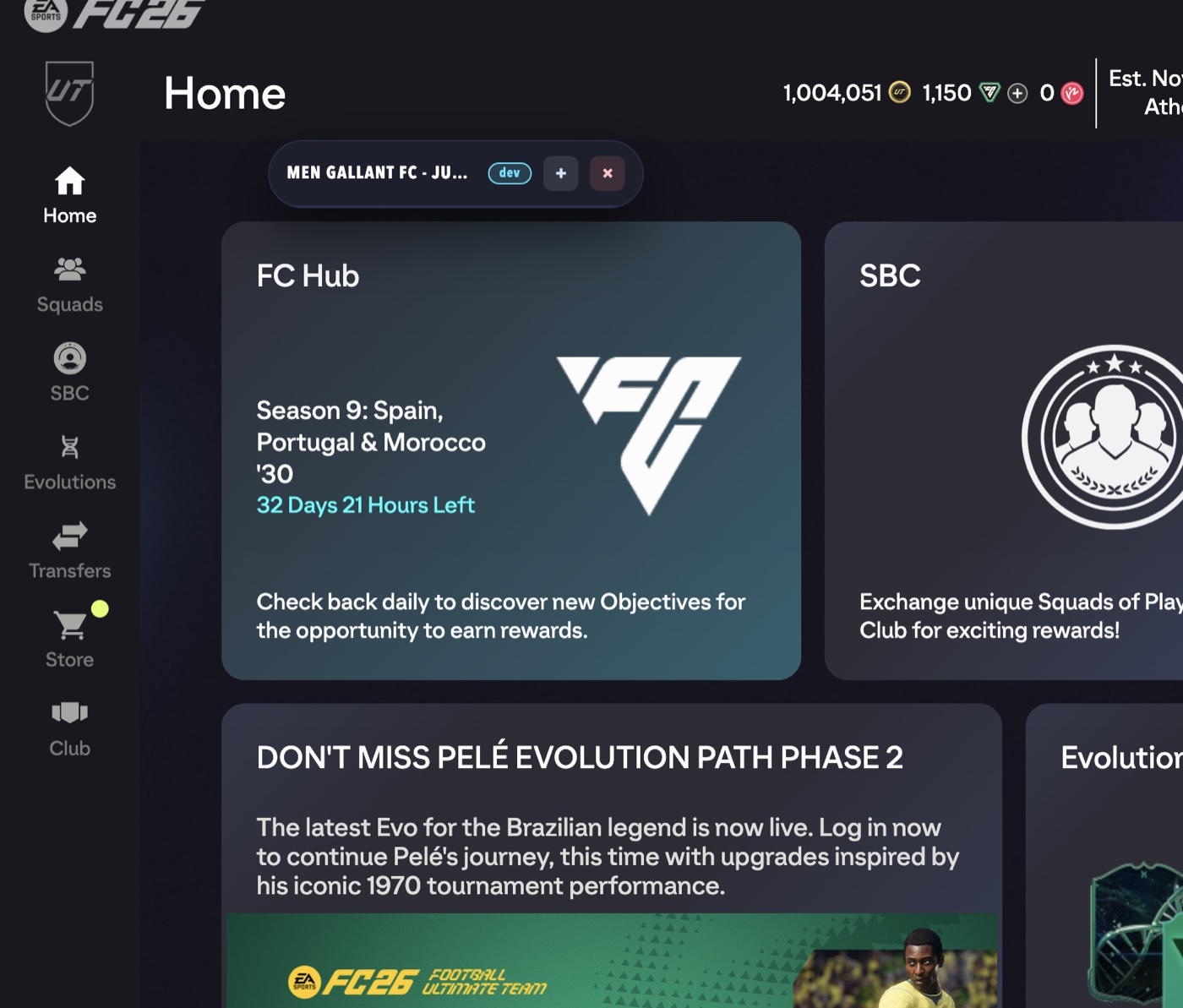
- Minimise anytime and the whole panel collapses to a small pill, so it never gets in the way of the game. Tap the + to bring it back or the × to close it.
- Pick a theme - a dropdown in the header switches the whole panel's colours (Prime Teal, UCL Night and more) to suit your mood.
- Great on mobile too - shrink it out of sight to see the full screen, then bring it straight back when you need it.
Ready to try it?
Install the bookmarklet once, then click it whenever you're on the FC 26 Web App.
Get the tool →